






How to combine DADA2 and QIIME2 to analyze third-generation full-length 16S? Can you show a detailed analysis process?
To analyze third-generation full-length 16S rRNA sequence data using DADA2 and QIIME2 together, you can follow these steps:
1. Installation and Setup:
- Ensure that you have installed the latest version of QIIME2. Installation guides can be found on their official website.
- DADA2 is included as a plugin within QIIME2, so no separate installation is required.
2. Data Import:
Use the `qiime tools import` command to import your third-generation sequencing data into the QIIME2 environment. Ensure that your sequencing data meets the following specifications:
- Samples have been demultiplexed, meaning each sample has its own fq/fastq file (or paired fq files for paired-end sequencing);
- Non-biological nucleic acid sequences, such as primers, adapters, or barcodes, and linkers, have been removed;
- If samples are paired-end sequenced, they should have matching paired-end fq files.
3. Data Quality Control and Denoising:
- Apply the DADA2 plugin for quality control and error correction. For PacBio or other long-read sequencing technologies, use the `qiime dada2 denoise-pyro` command:
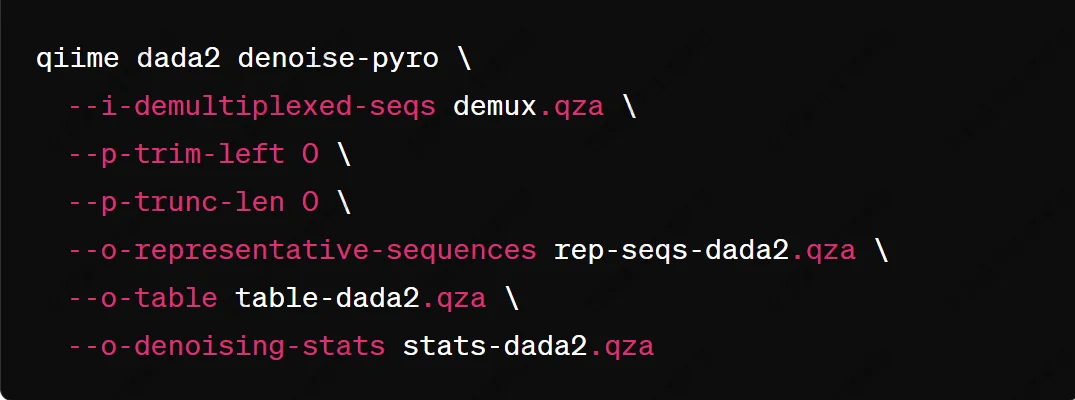
- This command does not perform truncation (`--p-trunc-len 0`), as PacBio reads are typically high-quality full-length reads.
4. Biodiversity Analysis:
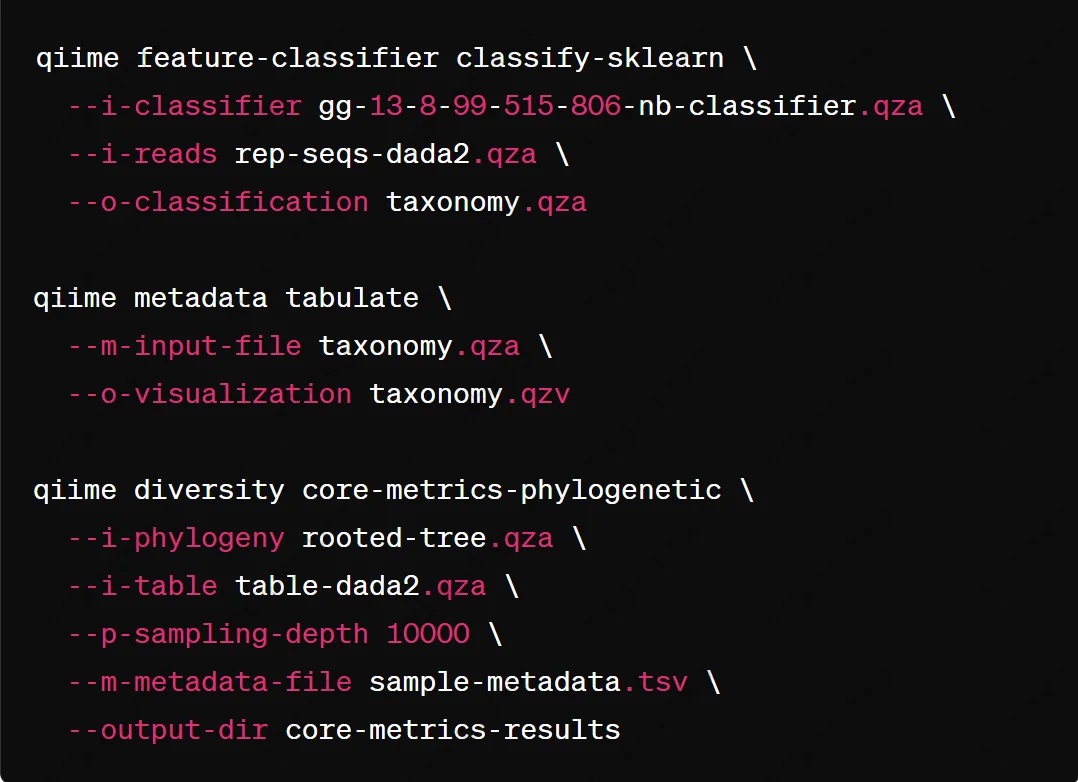
Use the generated feature table (ASV table) and representative sequences for further analysis, such as species annotation, diversity index calculation, and community structure comparison:
BiotechPack, A Biopharmaceutical Characterization and Multi-Omics Mass Spectrometry (MS) Services Provider
Related Services:
Full-length 16S/18S/ITS sequencing
16S/18S/ITS amplicon sequencing
How to order?